Desktop Trading Journal · Psychology Analytics
See exactly which emotions cost you money and which habits grow your account. Private, offline, and yours forever.
You know your rules. Something keeps going wrong — and your spreadsheet can't tell you what.
"I feel confident going in..."
Emotional states you don't notice are quietly determining your win rate.
"I know my rules. I break them anyway."
Without a system that surfaces your rules before every trade, discipline is just intention.
"Some days I'm profitable. I can't explain why."
Patterns across sessions and moods stay invisible until someone shows you the data.
// 01 — Dashboard
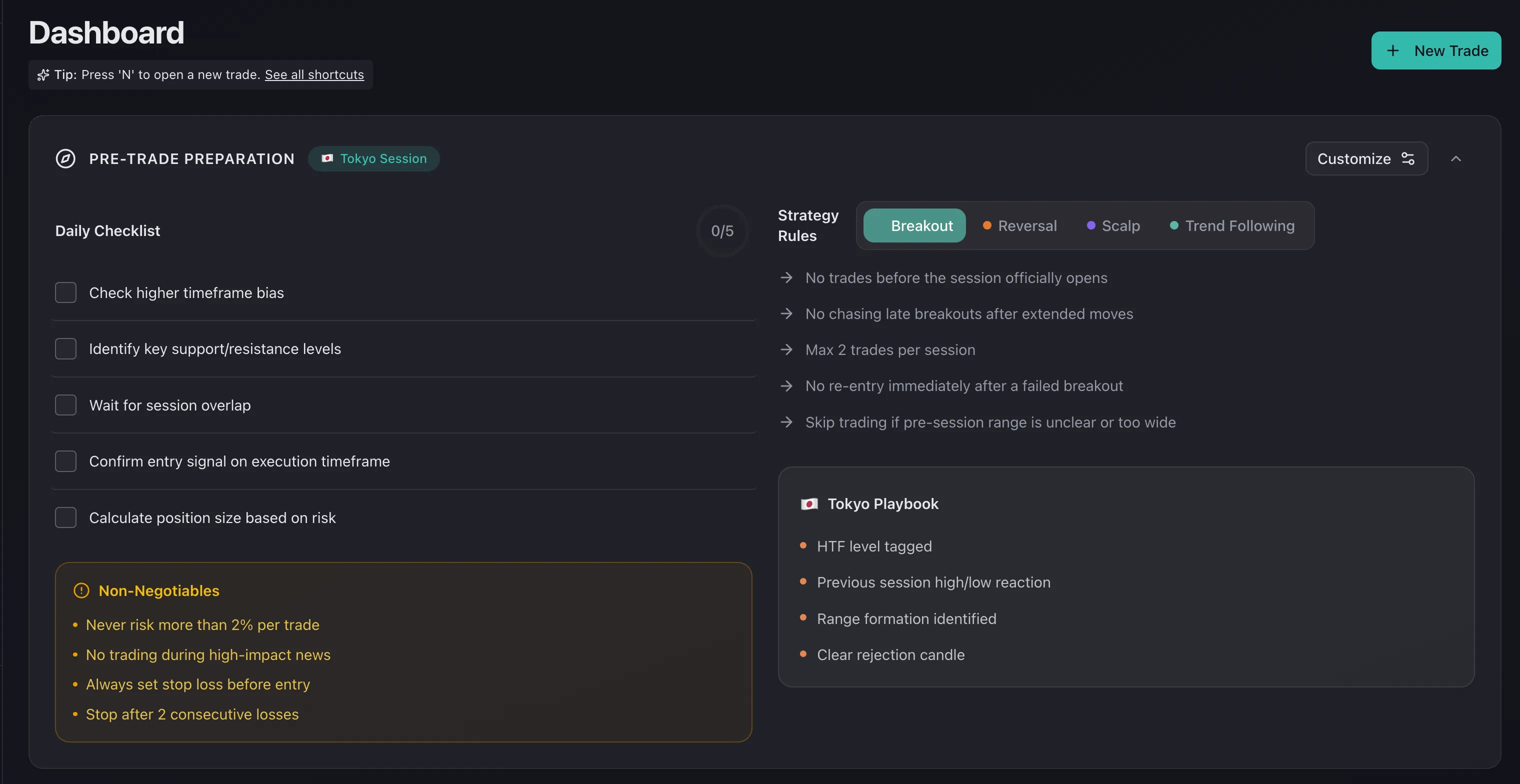
Your own rules, in your own words — displayed before every entry. No more forgetting your plan the moment price moves.
// 02 — Psychology
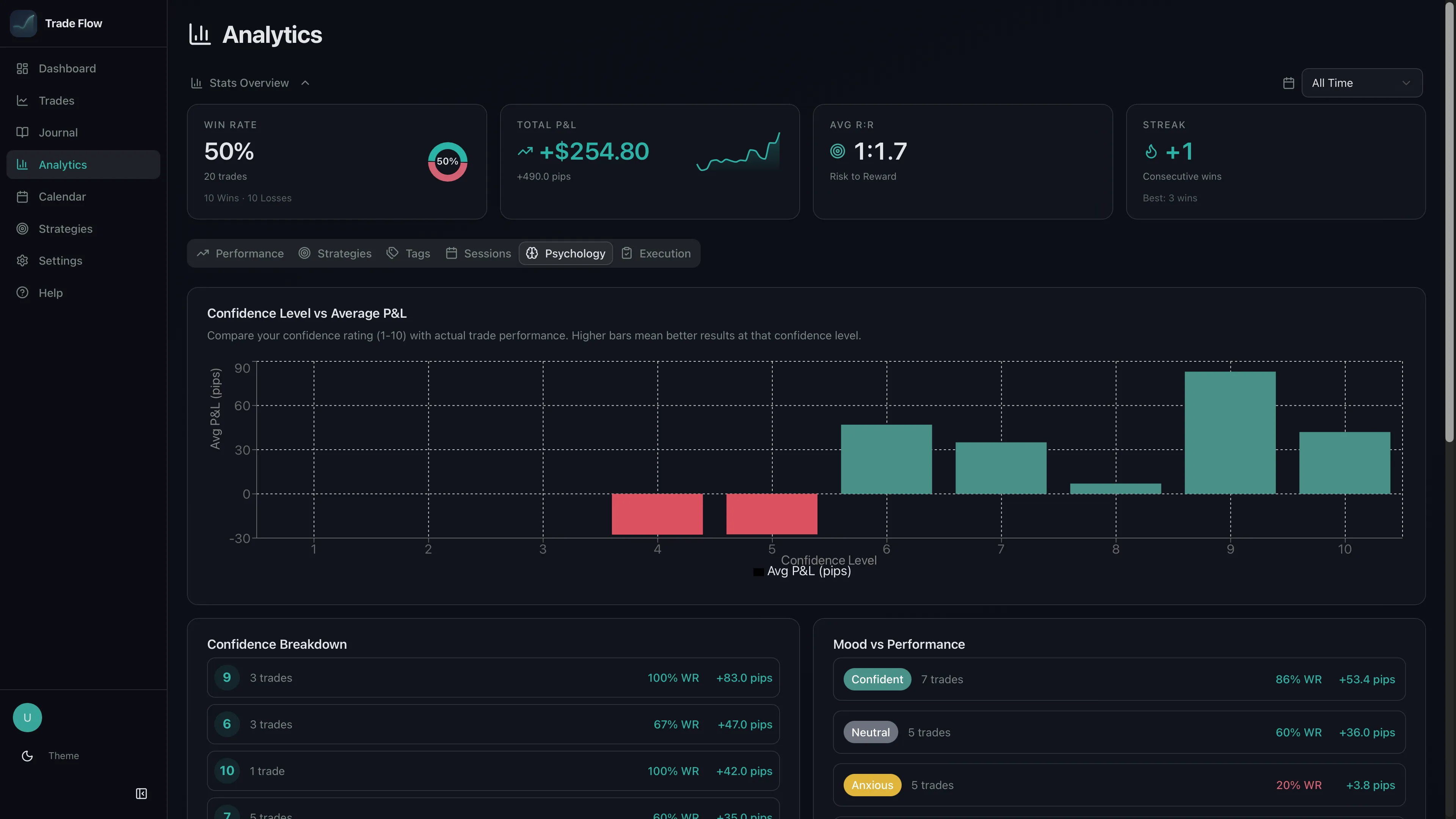
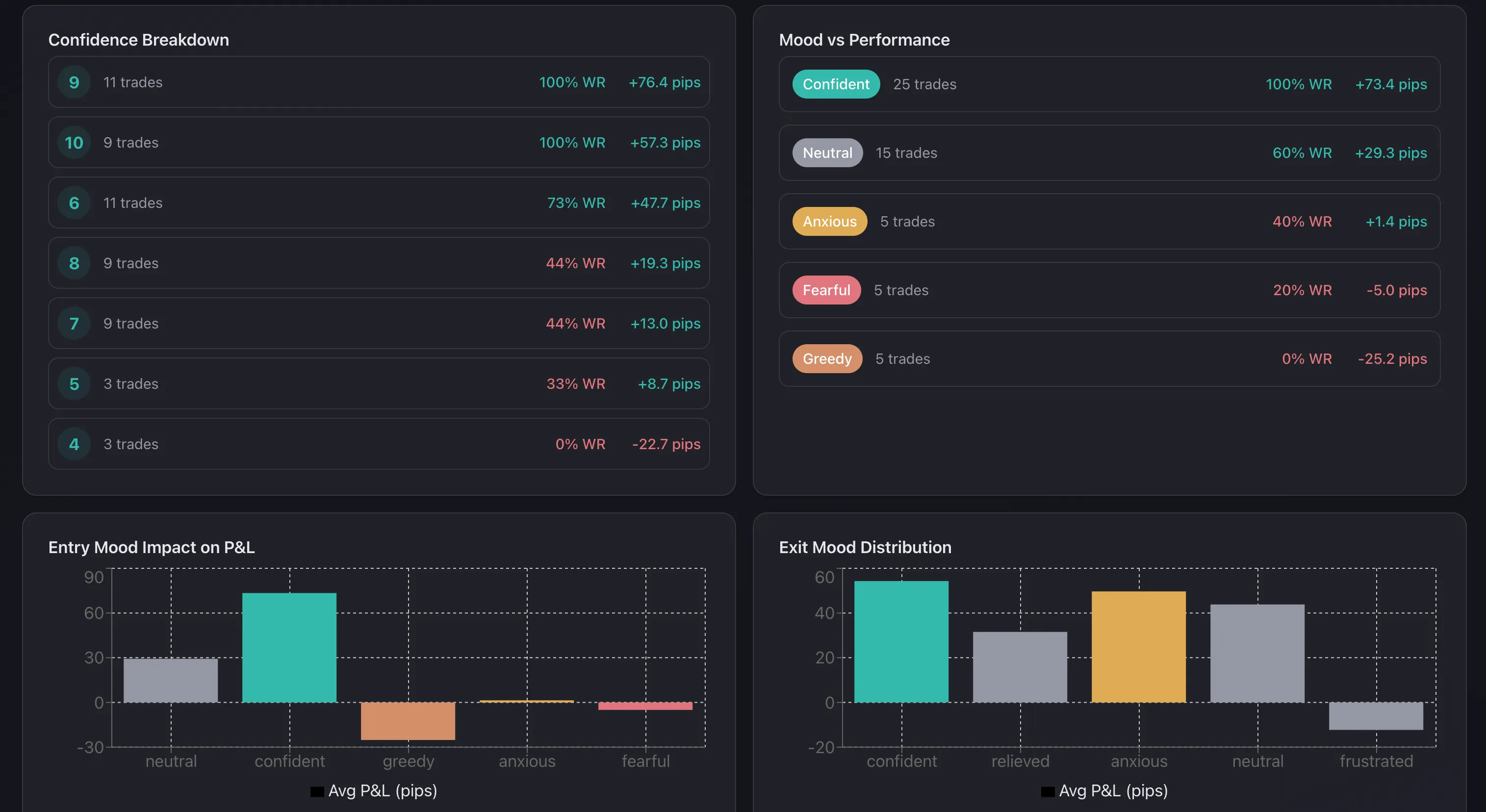
Every trade is linked to your emotional state at entry. See which mental states build your edge — and which ones destroy it.
// 03 — Calendar
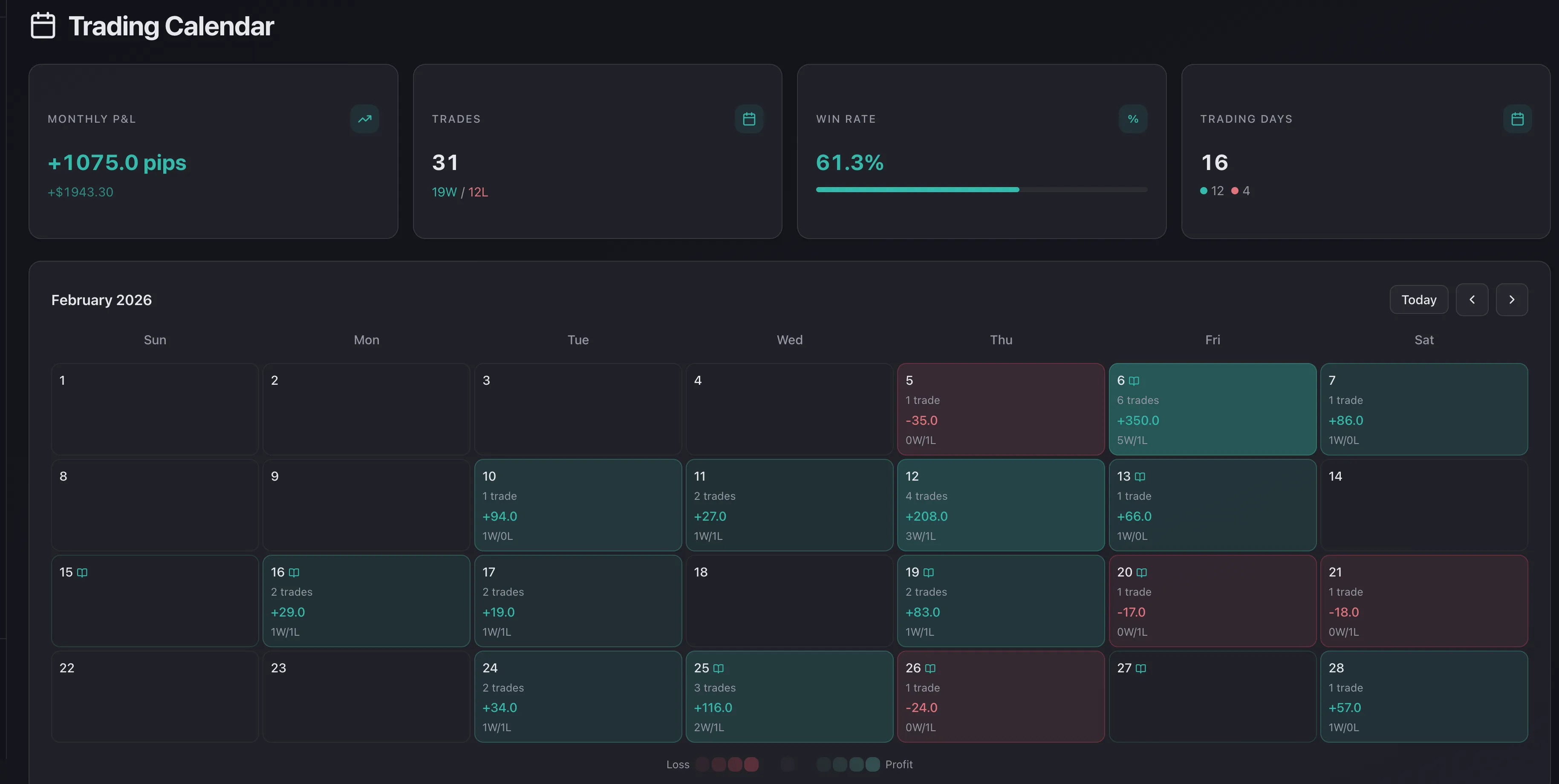
Green days, red days, streaks, and drawdowns — all visible at once. Click any day to drill into every trade.
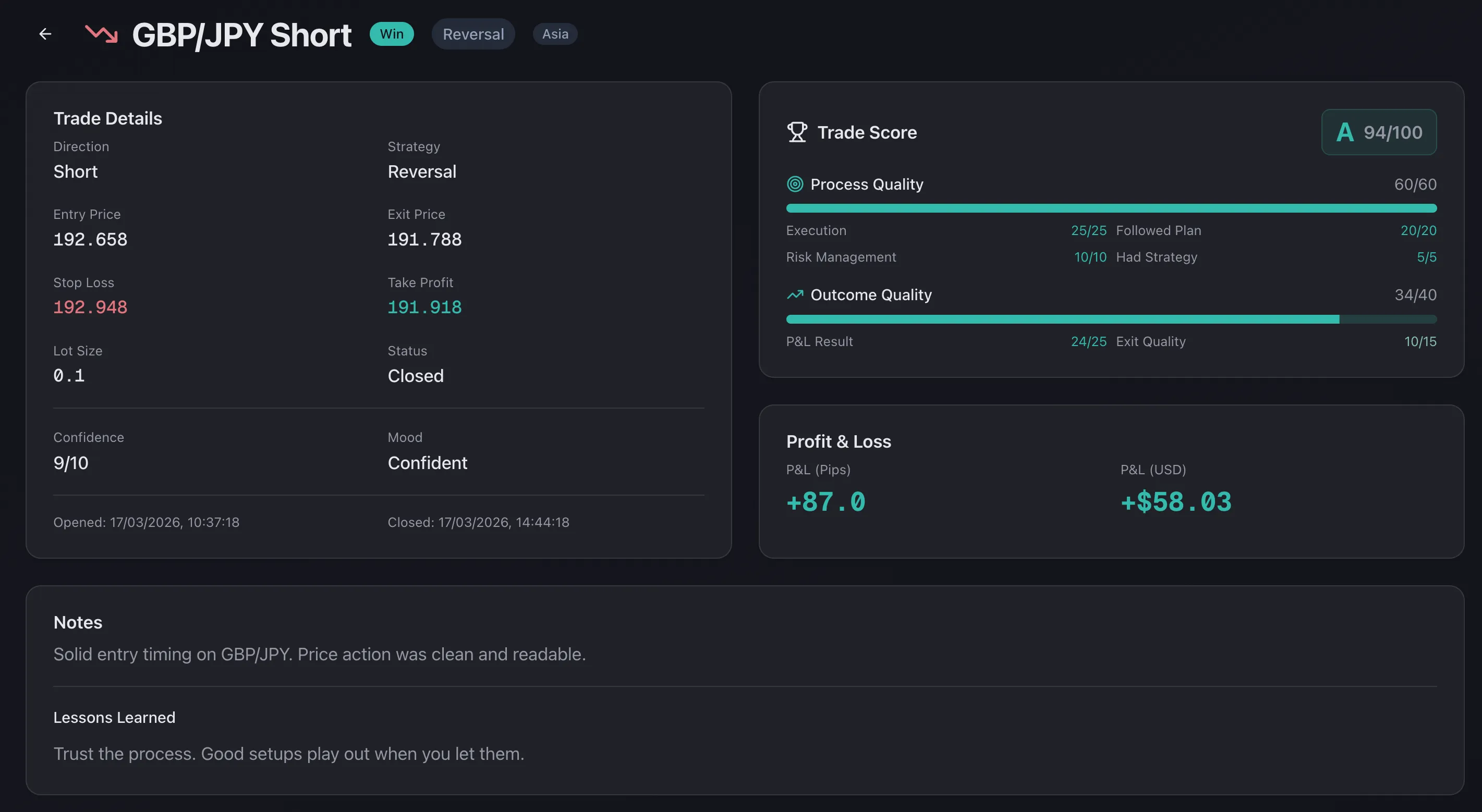
// 04 — Trade Score
A profitable trade taken poorly is a warning. A losing trade executed perfectly is data. Every trade is graded on process — because good process repeated is the only real edge.
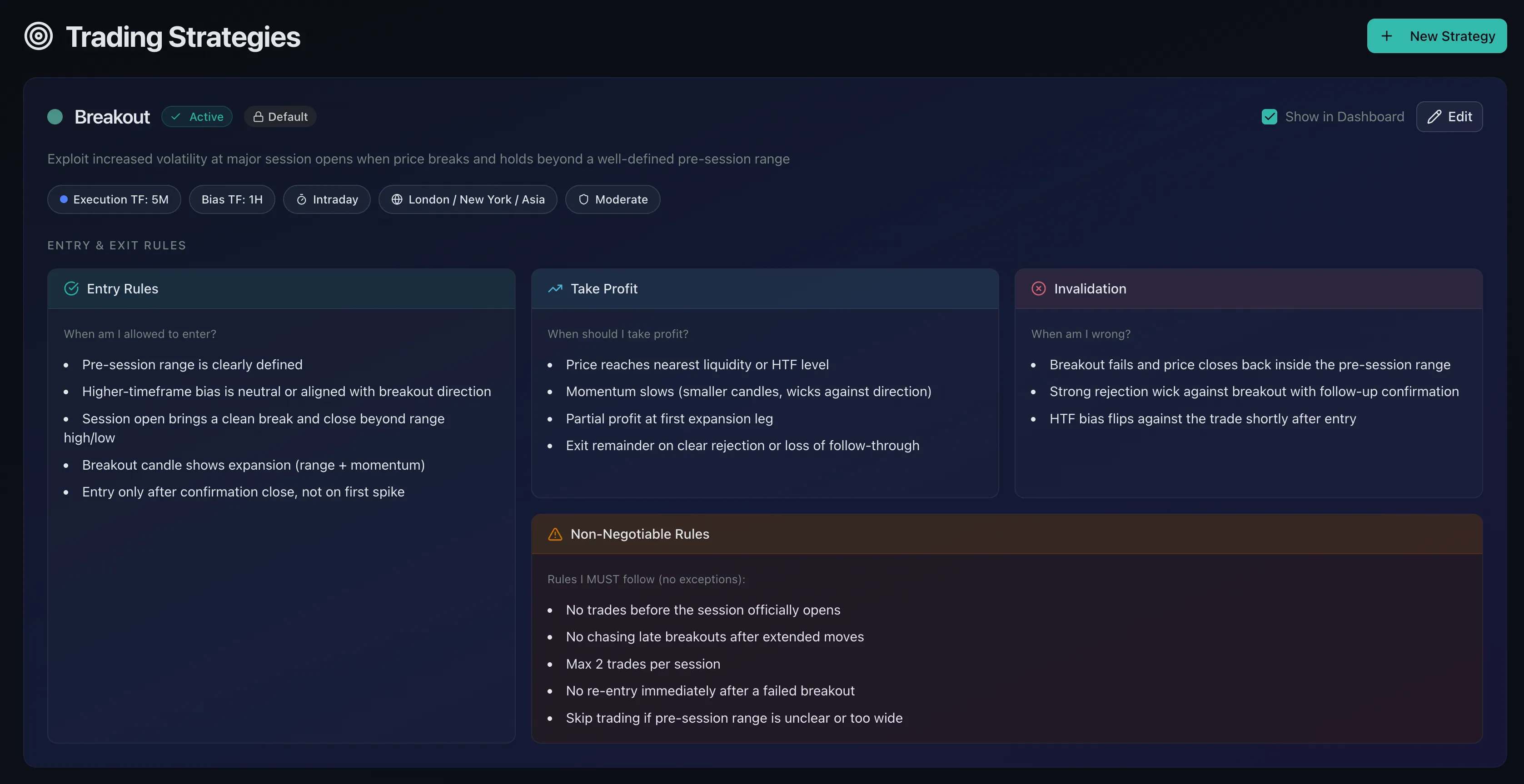
// 05 — Strategies
Build strategy playbooks with entry rules, TP targets, and invalidation conditions. Your criteria are displayed before every trade.
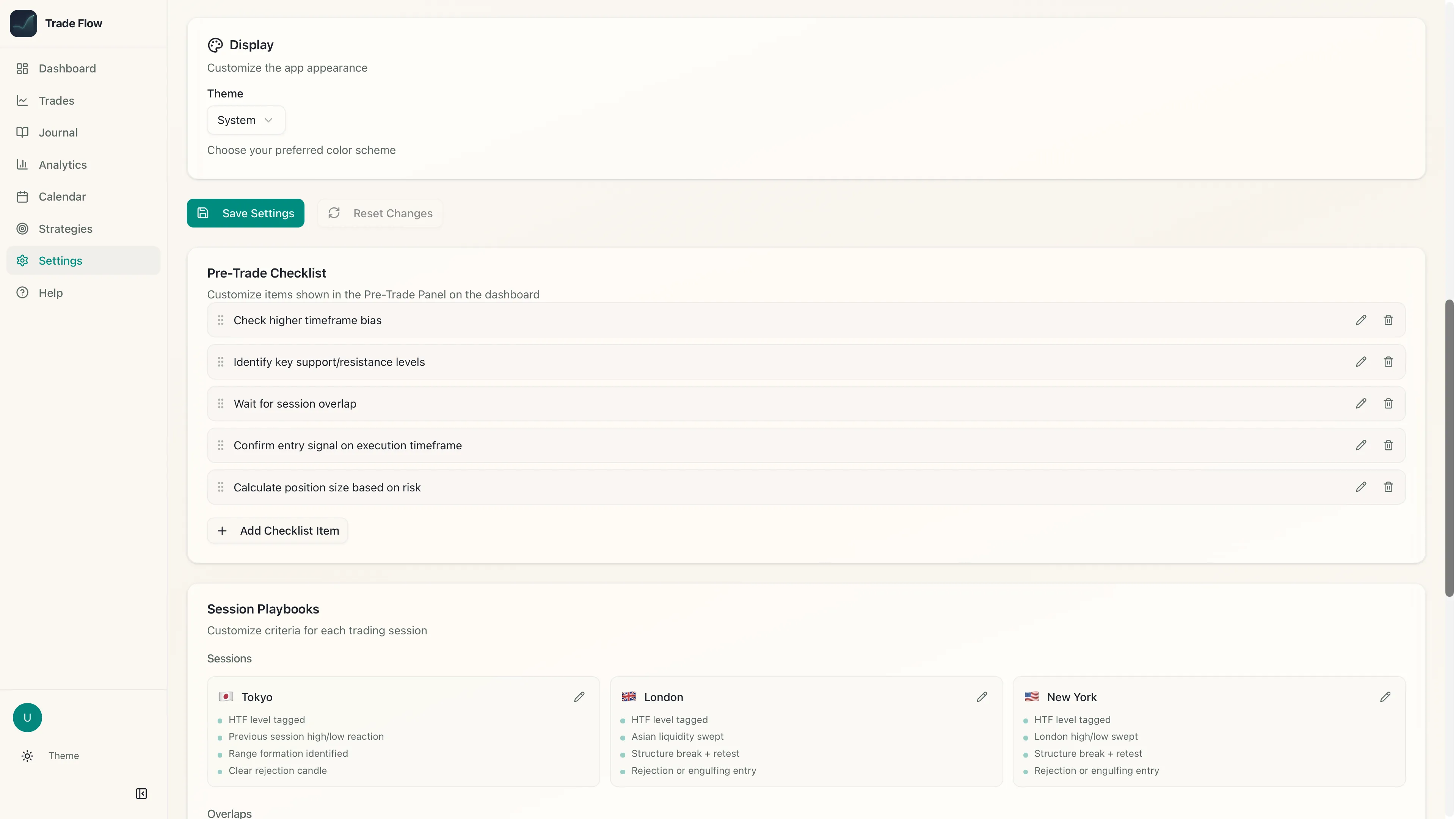
Dark mode. Light mode. Your call.
Psychology
Performance
Consistency
// See it in action
90 seconds — from pre-trade checklist to psychology review.
← scroll →
| Feature | TradeFlowFX | Spreadsheet | Generic App |
|---|---|---|---|
| Psychology tracking | ✓ | ✕ | ✕ |
| Mood vs P&L correlation | ✓ | ✕ | ✕ |
| Pre-trade checklist system | ✓ | ✕ | Partial |
| Trade Score (process grading) | ✓ | ✕ | ✕ |
| Strategy rules display | ✓ | ✕ | ✕ |
| Session analytics (Tokyo/London/NY) | ✓ | Manual | Partial |
| Confidence calibration | ✓ | ✕ | ✕ |
| Multi-asset (Forex, Indices, Commodities, Crypto) | ✓ | Manual | Partial |
| Broker CSV auto-detect (MT4/MT5/cTrader) | ✓ | ✕ | Partial |
| Trading journal with screenshots | ✓ | ✕ | Partial |
| Built-in demo data to explore | ✓ | ✕ | ✕ |
| Full backup & restore | ✓ | Manual | Partial |
| Free plan available | ✓ | Free | ✕ |
| No subscription | ✓ | ✓ | ✕ |
| Price | $49 one-time | Free | $30–80/mo |
Trading Journal
All features included. Free to try.
macOS, Windows & Linux · Instant · Includes 5 free trades & sample data
"TradeFlowFX is the first journal that actually showed me why I was losing. Turns out I had a 0% win rate every time I traded feeling anxious."
— Early beta tester · Forex & indices trader
Click any download button to open a secure checkout page powered by LemonSqueezy (our payment partner). Once you complete checkout, you'll receive a download link by email.
macOS: Open the downloaded .dmg file, drag TradeFlowFX into your Applications folder, then launch it. The app is Apple Notarised — macOS will verify it automatically.
Windows: Run the downloaded .exe installer and follow the setup wizard. Windows SmartScreen may appear because the app is not yet code-signed — click More info then Run anyway.
Linux: Download the .AppImage (runs on any distro) or .deb package (Ubuntu/Debian). For AppImage, make it executable with chmod +x and run it directly.